Binumi is an AWESOME tool for digital storytelling video projects. There is a free version that should be adequate for your needs. It has a huge library of video clips as well as sound files that can easily be dragged and dropped to your storyline. Adding text as well as your own files are easily done but if you get stuck there is a short tutorial right within your project screen – just look for the i which gives you an overview of the editor. I’ve included a short video to give you an introduction and if you have any questions contact me. I’d be more than happy to help! Go to https://www.binumi.com/ and create your free account Enjoy!
I’ve spoken about Curriculum Pathways before but now have webinars for each discipline created by the company. For those who do not know, Curriculum Pathways was created and is maintained by SAS, a top data analytics company. It is their philanthropic activity due to their deep interest in education. The resources are among the best I’ve ever seen and used. They include interactives, web inquiry, web lessons, … A great thing about Curriculum Pathways is that everything is standards aligned with emphasis on higher order thinking skills. There will NEVER be a cost! Everything is free! There will never be a push to a premium account. There is none!
Most activities are for middle and high school but there are some for elementary. Complete lesson guides are included and many additionally have worksheets that can be printed or completed on students’ Chromebooks. You can filter by subject, grade level, standards, activity, Chromebook, and more. The search is quite robust. Each of these webinars is approximately 45 minutes and could be used as a great base for a collegial circle so activities could be shared with your colleagues.
When you first open the video, it may say no content – just ignore it. It will start by itself. Don’t even bother pressing Play.
Have you ever used SWAY? It is an incredible FREE online tool that can be used to create presentations/lessons. Since it is strictly online, it works well with Chromebooks. A VERY cool thing about SWAY is that it intuitively offers content based on the words you place on your “cards”. The content offered is Creative Commons – You can embed YouTube, Geogebra, Tweets, Google Maps…
The example above was created by me and all content was in the Sway library for me so I never had to leave the site.
Sways can be private or public so sharing is encouraged! The following example is one that I found – I chose it because it gives some really good ideas. If you click on the … in the right corner, you can open full size in a new tab. Enjoy!
I know many of you use Pear Deck, Quizizz and Kahoot in your classrooms. I want to share what’s new with Kahoot!
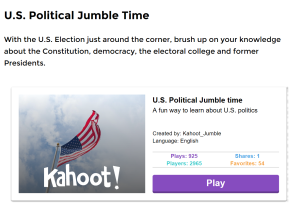
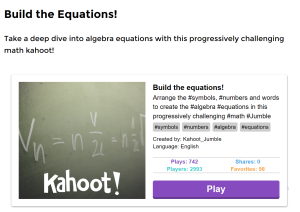
It’s called Jumble and you need to move your tiles to put them in order. There are several example games ready for you to use including a Word Jumble, Film Trivia, Halloween Fun, Political Jumble, and Build the Equation.
MATH TEACHERS – it seems as though we are often left out 😦 BUT.. you are going to LOVE creating equations through jumbling! Click on the following link to learn more about Jumble. Scroll down to find the example games. Have some fun! CREATE and SHARE!!!
Can you believe it? Two more days and we are at the end of the year!
Here’s something you may want to take a look at over the summer. Have you ever opened a browser only to find that all of your bookmarks are gone? I use three browsers – Firefox, Chrome and Internet Explorer (sometimes I throw in Safari as well). If I bookmarked a website, I would have to remember which browser I was using. THIS can get confusing…. UNTIL, I found Symbaloo!
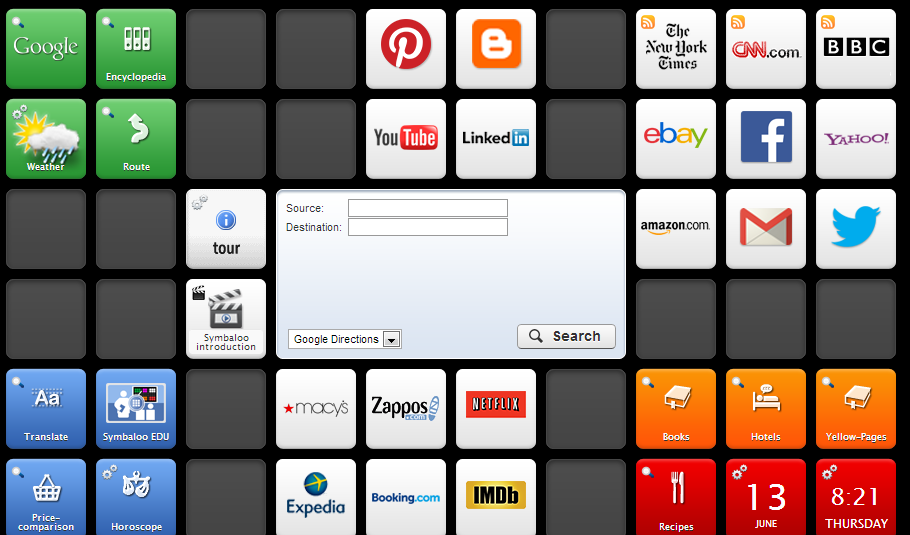
Symbaloo is a place that you can store all of your bookmarks quickly, easily and VISUALLY. Let’s say I find a site that I really like. I make sure Symbaloo is open (I’ve made it my home page), click on add a tile, copy and paste the URL and voila! See the picture below:
Another really cool thing – let’s say you have a topic of interest and are looking for resources. How about Common Core??? or Football??? or Web 2.0 tools??? Well, you can search for what’s called a WEBMIX – all the tiles are already on the page and you may now add that page to your Symbaloo. Yes, that’s right – Symbaloo lets you have multiple PAGES of bookmarks so you can really be organized. You may want a page for just math sites, just LOTE, etc… Maybe just worksheets. And how about the kids? What a great way to teach them organizational skills!
I’ve included two videos below – one is Symbaloo as explained by a child. Since we are teachers I figured it was appropriate! The other is about SymbalooEdu.
Citelighter (http://www.citelighter.com) is your highlighter on steroids. The free version allows you to capture text from the internet, automatically creates the bibliography in MLA, APA, or Chicago, and gives you a scratchpad to enter your notes about the research. It will save to your citelighter account but you can also download to Word. It will integrate with Google Docs but that requires the paid version.
Scrible (http://www.scrible.com) allows you not only to highlight your online content on the web but add post-it notes and save to your library. Scrible, like Citelighter, can also create the bibliography for you. There is a new free student version that was unveiled within the past two months.
Both are finalists in the 2013 EdTech IndustrySummit Innovator Award. I’ve only started using them and to be quite honest found Citelighter easier though I wish the integration with Google were not only with the paid version. Scrible is probably more powerful and I can see English teachers happier with this one. Take a look at both and see what is your preference. I’d love to get feedback!
Comments : Comments Off on You’ve heard of highlighting? How about citelighting OR scribling?
Hi everyone!
Hope you had a relaxing break. I know I did! I have a few things I’d like to share with you today.
First – the good news – teacher centers are IN the budget for next year. I haven’t worked out the details yet as to when MTRACT will be open but we will have money to provide you with services.
Second – hate writing lesson plans? Here’s a new FREE web 2.0 tool that can help
Third – Looking for APPROPRIATE video for your lesson?
Take a look at Watch, Know, Learn for pre-screened video you may download for FREE
Fourth– Video Editing Made Easy, FREE and in the Cloud!
And FINALLY…VERY INTERESTING – Do you PIN? Well, EdShelf seems to be the educational equivalent. You can create your own shelves or take a look at what other teachers have already found beneficial on their shelves. It’s pretty terrific and, of course, FREE. Click on the link and take a look!Ed Shelf
Comments : Comments Off on Video Editing, Lesson Plans and a Virtual “WebShelf”
Hi everyone,
TIRED OF POWER POINT??? TAKE A LOOK AT PIXTON! Take a look at the new FREE cartoon maker at the Professor Garfield website. There is a premium version but the free does PLENTY! What a great way for students to write a report on some assigned topic or LOTE students to create a conversation.
I’ve linked two videos below to show just what Pixton can do. Click on the URL below to see them. Michael Draper – you will LOVE this!
http://profgcontest.nyittbls.org/home/video-tutorials-from-pixton
Another site for SCIENCE teachers is the Encyclopedia of Life (http://eol.org), a free online resource about all life on Earth that offers text, images, video, sounds, maps, . . . Watch the video for a 2 minute clip
This is a real community of sharing supported by many including the Smithsonian Institute and Harvard University.
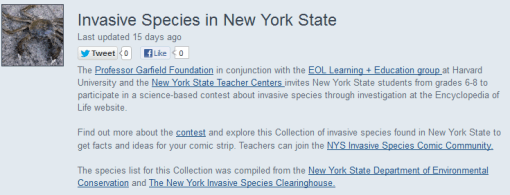
To introduce you to these wonderful resources, NYS Teacher Centers, NYIT, Professor Garfield and EOL are sponsoring a contest for grades 6 through 8.
Students will visit the Invasive Species of New York State Collection on EOL at http://eol.org/collections/33844 to choose an invasive species in our area and then create a 6 to 9 panel comic in Pixton. I’ve attached a PDF Encyclopedia of Life Contest with further information as well as the rubric. Entries MUST be submitted to me by May 1!!!
PRIZES for students in each grade level
First Place – Apple iPad Mini
Second Place – Google Nexus Tablet
Third Place – Kindle Reader
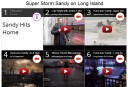
I have been playing with a new kind of presentation tool that is FREE and I believe has great potential. In order to show you some of what can be done, I created a presentation about Sandy on Long Island. My girlfriend now lives in Florida and has asked me on more than one occasion to send her news articles about Long Island because not much was reported about us – most of the information relayed was about the city.
Once you create an account (all they need is your email and password) then you can begin to search the topic you would like to create your canvas about. I typed in Sandy on Long Island and was then able to choose from You Tube videos, Flickr photos, Google photos and web search. I can also insert a label for text, enter a specific URL, upload a file. When I uploaded a Powerpoint, it was automatically converted to a Google Doc and displayed.
My mind is moving a mile a minute thinking about what can be done with this tool. How about a group project where students place “their” piece in a square. They can literally upload ANYTHING…Animoto, Prezi, Word, Powerpoint, …
Oh, and by the way, you can post your EdCanvas to Facebook as well as tweet it, share the link, or embed the code! Take a look – you will LOVE, LOVE, LOVE this!
The second annual DIGITAL LEARNING DAY is scheduled for February 6, 2013. NYS Teacher Centers have partnered with NYIT in encouraging teachers to submit a 2-3 minute video illustrating how they are using technology to transform classroom practice and help students meet Common Core Learning Standards. Teachers who submit a video could win a $50 Amazon Gift CardFor more information, visit the NYIT website here
I learned about the following government website called OnGuard Online for online safety. It’s not only a good resource for your class, it’s a great resource for us as well. Click here to visit.
Another really cool site, called SCAN, is a 2.0 tool to help guide discussion and learn to respect other’s opinions. There’s are several PDFs that can be downloaded for handouts. I’ve attached the SCAN Persuasive Essay for your review. SCAN_Persuasive_Essay
Here’s a video explaining the site. There is a free and a subscription version. If you choose to subscribe, the price would be $45 per year.
Have a wonderful Christmas, Hanukah, and New Year!
Hope it’s relaxing – you deserve it!
Barbara
Comments : Comments Off on Digital Learning Day, Internet Safety and a Persuasive Essay Web 2.0 Tool




 M-TRACT