Time for Review – Super Teacher Tools

27 05 2014

Hey everyone,

Can you believe it? It is time for review and have I found a FREE site to create very easy review games.

It’s called Super Teacher Tools and you can link to it from here

superteachertools


What you will find:

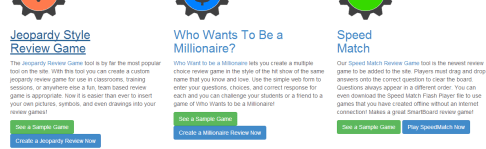
1. Templates for Games (Jeopardy, Who Wants to be a Millionaire, Speed Match, and a Virtual Board Game)

2. Teacher Tools (Seating Chart Maker, Group Maker, Random Name Generator)

3. Utility Tools (Classroom Timer, Classroom Countdown, QR Code Maker)

The Games:
There are two versions – the newer version allows you to paste diagrams and equations from Word – SUPER easy! I’ve only used the Jeopardy version so far but it was a piece of cake.

A really great feature is that you can create your own games OR search for games that other teachers have created and made public. Collaboration at it’s finest.

So take a look and enjoy – let me know what you think!


SAS Curriculum Pathways

21 04 2014

Hi everyone,

Is spring in the air? It’s Saturday – end of our break and I’m really hoping that spring has kicked winter OUT and we will begin to enjoy the fruits of spring.

At Berner we were mesmerized by the assembly where a holocaust survivor reached out to our kids with the ultimate message to be aware, to get involved, to stand up to bullies. How many times have we heard “If you see something, say something”?

This lesson for middle school from SAS Curriculum Pathways on The Diary of Anne Frank seemed appropriate for me to share with you.

SAS Anne FrankSAS supplies free tools to help students create:
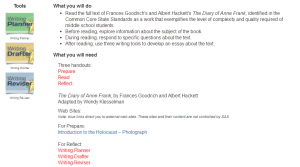
The writing planner guides students through the “process of generating ideas and organizing them into a plan for writing”.

The writing drafter helps students “develop coherent sentences and paragraphs” from the organized ideas in their plan.

The writing reviser helps students revise their writing into their final project.

SAS provides FREE quality resources for ELA, Math, Science, Social Studies and Spanish. Email me for a username and password.


Free Worksheets

12 02 2014

Hi everyone,Feb 10, 2010

First let me say…. ENOUGH, already! Snow, snow, go AWAY…

Let’s hope Thursday’s storm veers off in another direction.

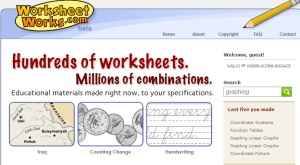
And now, for a new site I found for Worksheets. It’s called WorksheetWorks and can be accessed at http://www.worksheetworks.com

WorksheetWorks

WorksheetWorks2

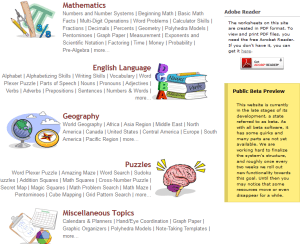
It is a beta site so for now it’s free but I don’t know how long that will last. I’ve found some really good material here though. There are worksheets for math, English, Geography, Puzzles, and more…

If you have some spare time next week, it’s really worth a look. Enjoy the upcoming week. You deserve a break. AND, if you are going away to some place warm, I’m really, really jealous but have a terrific time 🙂

Barbara


Teachers Pay Teachers

23 01 2014

Hi Everyone,
Sorry it’s been a while since my last post. My life has been very hectic of late. I was trying to think about what to write and remembered a teacher at my last workshop speaking of a site called teacherspayteachers. She said she found some really good lessons and it has actually given her some time off on weekends! So… I decided I’ll take a look and tell you about it.

You can sign up for free either as a buyer or buyer/seller with royalty payments or choose the premium account with no transaction fees and pay 59.95.

Grade levels start with Pre-K and ends with Post Secondary and Adult Ed.

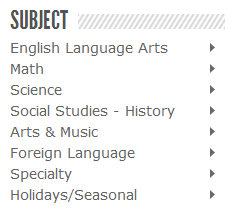
TPT Subjects


Take a look at the major subject areas to the left. The right arrows will take you to various topics (too numerous to mention). Specialty subjects include everything from business to health to speech and even ASL!

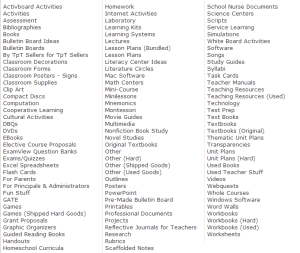
TPT Resources

Types of resources include worksheets, lesson plans, DBQ’s, SMART Board activities, PowerPoint, assessments, ExamView question banks, webquests, clip art, used books and on and on…. see the image to the left or better yet, click here to visit the site and see for yourself see all it has to offer. Membership is free and I believe it’s certainly worth a look 🙂

Let me know what you think – have a great day!
Barbara


Share My Lesson

26 10 2013

Hi everyone,

Since my return to the classroom, my eyes have been opened to how busy you all are! It’s been a whirlwind but I am really enjoying being back with the kids!

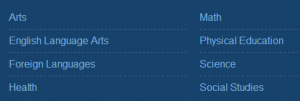
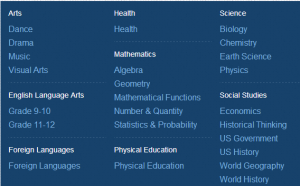
I thought I’d remind you about a great resource for Common Core lessons. I shared this with you last year but it warrants a reminder! Share My Lesson is sponsored by AFT and NYSUT. It is a site that contains more than 250,000 resources by teachers for teachers and is FREE! You will find activities, worksheets, games, lesson plans, flashcards, puzzles, posters, assessments and MORE…. You can borrow, but more importantly, SHARE! It’s so important that we work together in these trying times.

shareMyLesson Elementary and MS

Early Elementary
44,065 resources, including activities, worksheets, games, lesson plans, flashcards, puzzles, posters, assessments and other ideas for you to use with your kindergarten, first- and second-grade students.

Late Elementary
34,111 resources, including activities, worksheets, games, lesson plans, flashcards, puzzles, posters, assessments and other ideas for you to use with your third- fourth- and fifth-grade students.

Middle School
60,126 resources, including activities, worksheets, games, lesson plans, flashcards, puzzles, posters, assessments and other ideas for you to use with your sixth-, seventh- and eighth-grade students.

shareMyLesson HS

High School
172,269 resources, including activities, worksheets, games, lesson plans, puzzles, posters, presentations, assessments and other ideas for you to use with your high school students.

shareMyLesson Special Population

Special Population
3,722 special populations resources, including activities, worksheets, games, lesson plans, flashcards, puzzles, posters, assessments and other ideas for you to use with your students.


Welcome Back

7 09 2013

Hi everyone and welcome back!

Hope you all enjoyed your summer:) It goes so fast, doesn’t it?

As I explained on Tuesday,  I am now at Berner all day but MTRACT is still alive and well. I will be there depending on my schedule after school. Please email me with any needs or concerns or call the office and leave a message at 308-5580. You can always call my cell – email me for the number.

Don’t forget about the collegial circles. There is much to do to prepare our students to succeed with the Common Core and collegial circles are the perfect avenue to work with your colleagues in achieving that goal.

Personally, I was VERY busy over the summer. I’ve told you about LearnZillion before and also told you that I was honored to have been one of the teachers chosen to attend Teachfest last May in San Francisco. My commitment was to create lessons for three math standards. Well, I cannot tell you the amount of work that we put into those lessons as well as how much I learned about creating Common Core lessons. We each worked with a team of 5 teachers from around the country and a coach who had to approve everything we did. The teachers on my team were incredible, as was my coach (even though he put me through the ringer). Once all was approved by our coach, it went to the LearnZillion team for final approval. After spending the ENTIRE summer working on 14 lessons, I can attest to the rigor that goes into creating lessons for LearnZillion and encourage you to take a look at their site http://www.learnzillion.com

You will find ELA and Math Common Core lessons grouped in lesson sets by standard. You can assign a lesson to student and see the results of their practice questions. It’s changed a bit from last year so the Expert Commentary from the teacher who created the lessons is more explicit and includes the research of what standards came before and what this standard is moving toward. There are four fluency and two application questions for each math lesson as well. I didn’t see the new ELA lessons as yet but many of you know how impressed I was with their resources last year.

I’m embedding a video about LearnZillion below that includes some video from Teachfest in San Francisco to give you an idea of the commitment of the staff in producing quality lessons. They are a really impressive and dedicated group who believe in scaling their impact on a daily basis. They will be doing 1/2 hour professional development webinars throughout the year. I’ll keep you posted on that.

I hope you take 2 1/2 minutes to watch the video (if you look really closely, you’ll see me at about 56 seconds in). OH! And by the way, second grade is now included and plans to extend to kindergarten are in the works. High School is also included with the new batch of lessons being unveiled. There will be OVER 2000 NEW lessons created over the summer that will be published within the next couple of weeks. Once again, I’ll keep you posted.

I just caught the tail end of TEACH on channel 2 and it really got me excited about returning to the classroom this year. I’d like to share the end quote by a student.

The question: “What is a teacher?” Her response, “Someone who inspires you to do something better with your life.”

I guess that says it all….

Have a GREAT year,

Barbara


Ever lost your Favorites?? Try Symbaloo Internet Bookmarker for computer, SmartPhone, or Tablet

19 06 2013

Hi everyone!

Can you believe it? Two more days and we are at the end of the year!

Here’s something you may want to take a look at over the summer. Have you ever opened a browser only to find that all of your bookmarks are gone? I use three browsers – Firefox, Chrome and Internet Explorer (sometimes I throw in Safari as well). If I bookmarked a website, I would have to remember which browser I was using. THIS can get confusing…. UNTIL, I found Symbaloo!

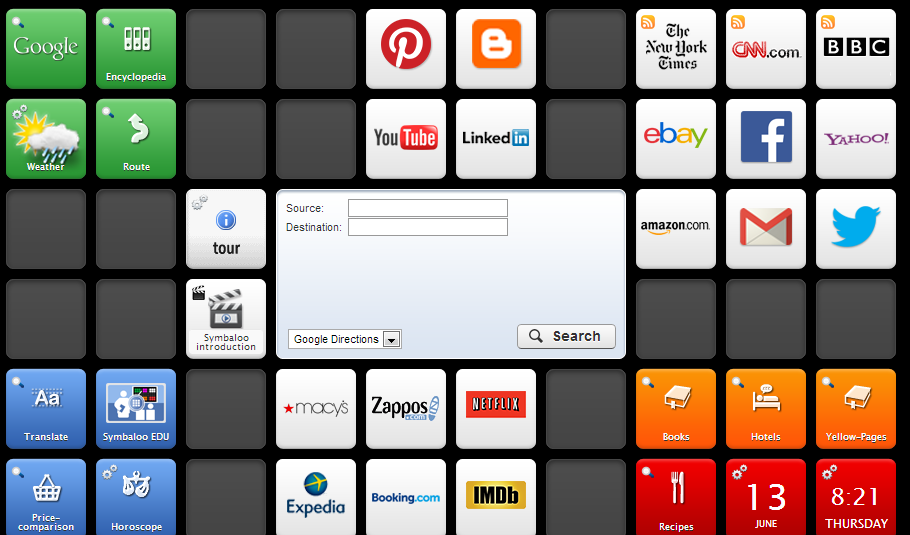
Symbaloo is a place that you can store all of your bookmarks quickly, easily and VISUALLY. Let’s say I find a site that I really like. I make sure Symbaloo is open (I’ve made it my home page), click on add a tile, copy and paste the URL and voila! See the picture below:

Image

Another really cool thing – let’s say you have a topic of interest and are looking for resources. How about Common Core??? or Football??? or Web 2.0 tools??? Well, you can search for what’s called a WEBMIX – all the tiles are already on the page and you may now add that page to your Symbaloo. Yes, that’s right – Symbaloo lets you have multiple PAGES of bookmarks so you can really be organized. You may want a page for just math sites, just LOTE, etc… Maybe just worksheets. And how about the kids? What a great way to teach them organizational skills!

I’ve included two videos below – one is Symbaloo as explained by a child. Since we are teachers I figured it was appropriate! The other is about SymbalooEdu.

To create a free account, go to http://ny.symbaloo.com

Symbaloo as explained by a child

Symbaloo EDU

http://youtu.be/-Pph5DEDyjE

Have a GREAT summer,
Barbara


And THAT’S what teaching is all about… Ray Hahn

12 06 2013


Ray Hahn has been an integral part of our children’s lives over the years as he taught them the love of astronomy using StarLab.

hahn


starlab book starlab letter

The article below reproduced from the Massapequan Observer (http://www.antonnews.com/massapequanobserver/news/19876-starlab-presentation-at-birch-lane.html) explains how Ray has been delighting our children for decades.

Starlab Presentation at Birch Lane

Friday, 23 December 2011 00:00
Learning from the master of the planetarium

Mrs. Emmerich’s third-grade students from Birch Lane school visited the Starlab at the Massapequa High School. Raymond Hahn gave an informative presentation in an amazing inflatable planetarium. The children enjoyed sitting in a circle in the dark, looking up at the stars singing “Raining Sunshine.” They learned about stars, planets, constellations and many other things pertaining to space.

The Planetarium was co-purchased by the Massapequa School District and the Massapequa Teachers’ Center (M-TRACT) in 1990. Originally the planetarium was transported to each elementary school where teachers at those schools conducted presentations for classes. After much wear and tear, Raymond Hahn took on the responsibility the Starlab and found a location for the Starlab to permanently be at one location.

Raymond Hahn and the students.
Hahn teaches all six of the elementary schools in the district. In addition, he created and conducts topic-specific presentations for the high school astronomy classes. The very dark environment of Starlab is also ideal for the study of light.

“I know that this sounds crazy, but studying light in a very dark environment is necessary in order to see such things as the Spectra of the Elements,” Hahn said. “Since spectral analysis is a topic covered in both chemistry and physics classes, I created a special presentation which I call my Spectracular Presentation, in order to demonstrate this phenomenon to those classes.”

This is the 42nd year of teaching in the Massapequa School District for Raymond Hahn. Over the years he has taught general science, earth science, astronomy and physics. He especially enjoys doing the Starlab presentations for the elementary school students.

If you’ve never seen StarLab, take a look at the following video.


Ray is in the science department at Massapequa High School and unfortunately Massapequa will lose him to retirement this year. We congratulate Ray for being a motivating force in his students’ lives.

And THAT’S what teaching is all about…


You’ve heard of highlighting? How about citelighting OR scribling?

28 05 2013

Citelighter (http://www.citelighter.com) is your highlighter on steroids. The free version allows you to capture text from the internet, automatically creates the bibliography in MLA, APA, or Chicago, and gives you a scratchpad to enter your notes about the research. It will save to your citelighter account but you can also download to Word. It will integrate with Google Docs but that requires the paid version.

Scrible (http://www.scrible.com) allows you not only to highlight your online content on the web but add post-it notes and save to your library. Scrible, like Citelighter, can also create the bibliography for you. There is a new free student version that was unveiled within the past two months.

Both are finalists in the 2013 EdTech IndustrySummit Innovator Award. I’ve only started using them and to be quite honest found Citelighter easier though I wish the integration with Google were not only with the paid version. Scrible is probably more powerful and I can see English teachers happier with this one. Take a look at both and see what is your preference. I’d love to get feedback!


Creativity without Technology

8 05 2013

Hi everyone!
Caine and Me - Copy
I spent an incredible four days with teachers from all over the country this past weekend. Besides creating Common Core lessons, the focus of the weekend was on the power of community building. We were so impressed by the following video and then blown away when Caine and Nirvan entered the room. Caine is in the fifth grade and has made such an impact on so many through the creation of an arcade with the cardboard boxes from his dad’s auto parts store. He is adorable! When he was asked, “So Caine, what’s next?”, he shrugged his shoulders and said “sixth grade?” He is a normal boy who has had an incredible impact on so many but he has remained himself – an adorable child with an imagination. Enjoy this video – you may want to share with your students.